
GUIDE
How to draw a route over a map
Open your map, slide out the SlideInk panel and mark the way with your finger or a stylus. You can circle the meeting place and add the time.

Free on Google Play. No account, no ads.
4 simple steps
-
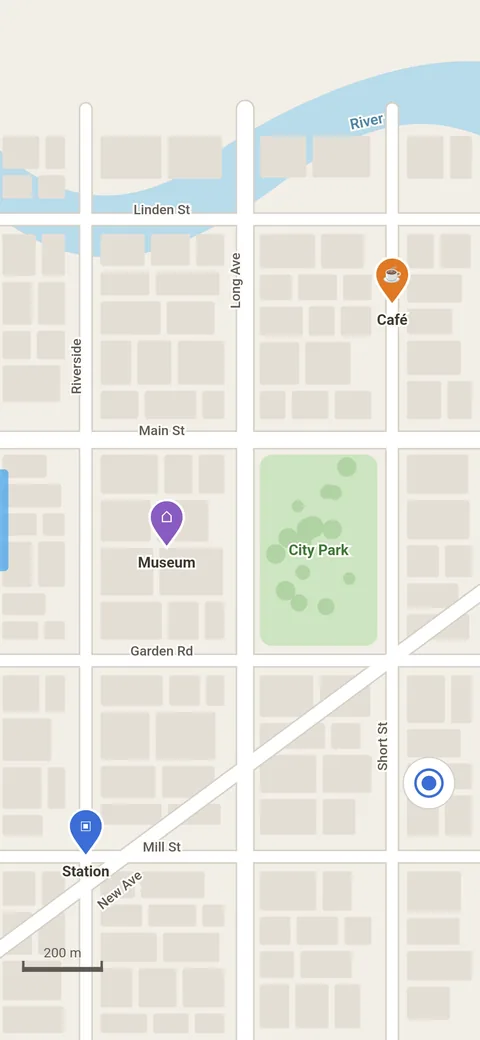
Get the map ready
Move and zoom the map so you can see the whole way you want to mark.
-
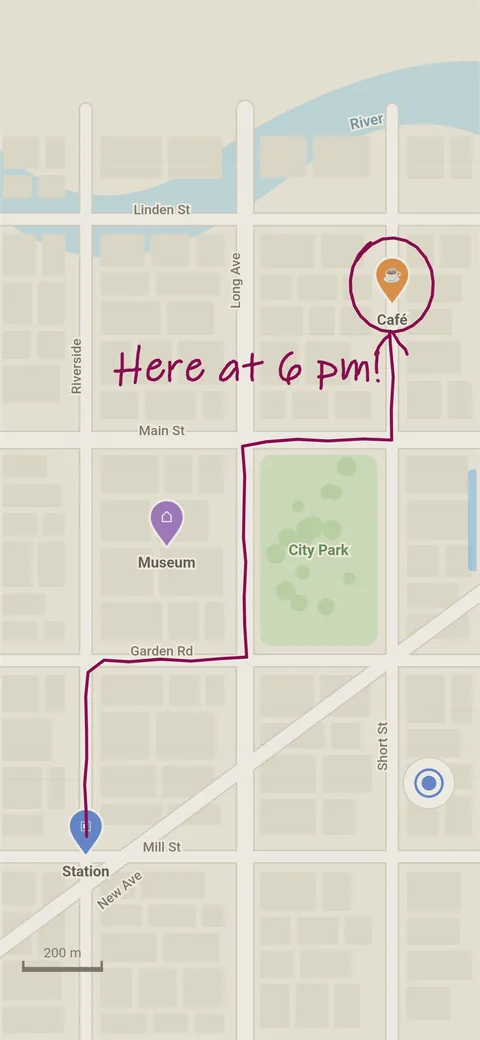
Open the panel and draw the route
Tap the SlideInk handle at the edge of the screen or drag it towards the middle. Draw the way, circle the destination or add the meeting time.
-
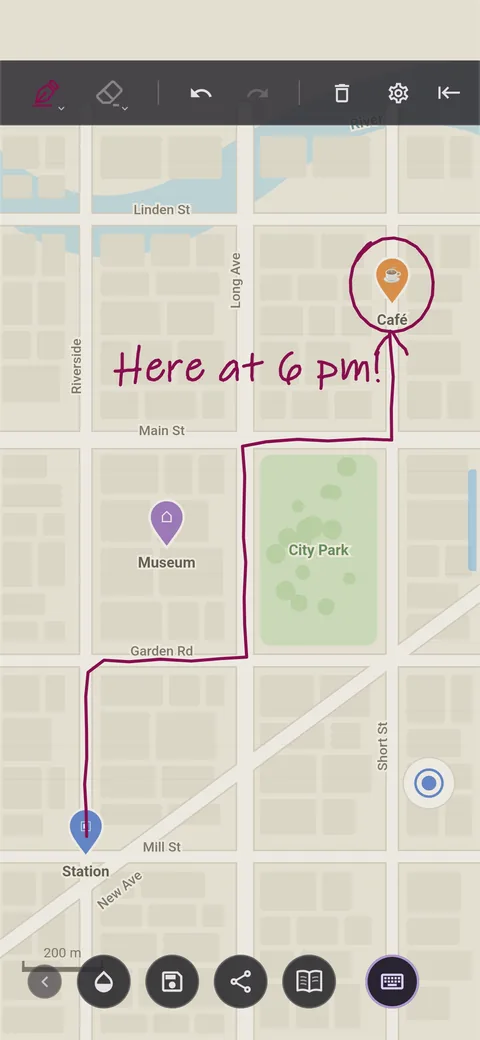
Save the drawing
Tap the floppy disk icon. You’ll then find the drawing in the Library. Only what you drew and wrote is saved, without the map.
-
Collapse the panel
Collapse the SlideInk slide-out panel. You can then move and zoom the map again. But the drawing won’t follow the map.
Tips
- If you want to send the route together with the map, take a screenshot while you can see both the map and your drawing. SlideInk protects locked notes from screenshots.
- If you can’t see the map under the drawing well, adjust the background opacity.
- You change the pen color and thickness by tapping the pen icon.
- To start over, tap the trash icon. SlideInk asks before it deletes the whole note.
Frequently asked questions
What happens when I move the map?
The drawing stays in the same place on the screen, so it may no longer match the route. That’s why you should get the map ready before you draw.
Is the map saved too?
No. Save or Share only saves or sends your note. If you want to capture the map underneath too, take a screenshot. SlideInk protects locked notes from screenshots.
Is SlideInk free?
Yes. Notes and drawing are free. You can try reminders free for 14 days. If you want to keep creating new ones after that, you can buy SlideInk PRO. You pay only once, with no subscription.
Which devices does SlideInk work on?
On phones and tablets with Android 7 or newer. When you first start it, allow it to display over other apps so the panel can open over them.
Try it at your next meetup
Get SlideInk from Google Play and mark the way right over the map. Writing and drawing are free.